
Day 15: NotebookLM is the hidden gem in the Google AI universe
NotebookLM doesn't get the attention it deserves—let's start with the basics.

Welcome to day 15, halfway point of the 30 Days of AI. Today we’re going to talk about one of my favorite AI applications: NotebookLM.
I’m going to admit right from the start that as much as I love NotebookLM and I’ve been using it since the beginning when we were first all blown away by it’s make a podcast from any source feature (aka audio overview), it might be the one tool that I’m underusing the most. I need to change this and working on this edition of 30 Days of AI is definitely going to motivate me to use it more.
Just thinking about writing this post, what I was going to say, how I was going to say it, and talking with a friend coffee about it, I have so many new ideas for how to use NotebookLM. We’ll get to those tomorrow on Day 16.
What is NotebookLM?
But let’s start from the beginning. What is NotebookLM?
NotebookLM started off as a Google Labs experiment. These little tools that Google puts out there say, “Hey, kick the tires on this thing, let us know how it goes.” The positive reaction and the tremendous use of NotebookLM cemented a move beyond just Google Labs to a core part of Google’s offering. I wrote about on my other Substack, Generally AI, that I predict NotebookLM is going to become a hub for how you do work.
Cool, but what actually is it? What does it actually do?
Imagine a digital notebook, like a three-ring binder, where you can put all kinds of sources in PDFs, Word documents, images, links to websites and then you can ask questions about it. Like, “How do all these things relate to each other?” Or “Summarize the documents into a one pager so I can explain it.” And like a real-life three ring binder, NotebookLM only pulls answers from the sources you’ve put into it. It’s really great for when you want to focus on a particular thing and not mix in other sources from the internet or what Gemini thinks about the topic, any of those things. Which is amazing if you think about it.
Like all Google products, there is the free version that you can just use your Gmail account before you sign up. And then there’s the paid version of for non-Google Workspace accounts (aka Gmail) and then there’s the version for Google Workspace accounts. Usually the non-workspace accounts (free and paid) get access to new features and additions to NotebookLM before Google Workspace subscribers. Like all the free paid things, making sure when it’s paid, you have the ability to control your privacy and your information much more granularly at all than if you use it for free.
Getting data into NotebookLM
Now what sources can you put in? And this expands all the time. You can throw in:
PDFs
images
Word documents
pasted text
Google Drive files
You can put in links to websites
Links to YouTube videos
audio files
video files
And probably more formats all the time (though not HTML).
There are two interesting things about NotebookLM and website links. If you’re adding a link to a website, it can’t get past paywalls (or content where there is a “subscribe to our newsletter” popup that comes up first). If you have a paywalled article you have to save it as a PDF or copy and paste the text to get into NotebookLM as a source. But the really the other cool thing about the links is that NotebookLM checks whether it can extract the information from it. Beyond paywalls, this is great when you have a list of sources from deep research and want to know: Does this link even exist? It’s a great cross check for just that level of deep research.
One of the reasons I built my first Chrome extension was I wanted to have a way to quickly and easily gather links to things and have the ability to copy them as a block of links then I can paste that into NotebookLM. The extension also saves blocks of text to paste in too.
Quick tour
NotebookLM has three panes. The leftmost pane are the sources. The middle pane is where the magic happens, it’s where you ask it questions—which are essentially Gemini prompts. The far right pane is all these extra things you can do with NotebookLM data from the famous audio summaries, video summaries, document summaries, slide decks, infographics, quizzes; it seems never ending. Below that section is where the output of both of those built-in things you do go as well as when you save a response to a “note.”


Let’s ask some questions
The screenshots are from a new notebook I created for this project. It’s where I’m going to put published posts and additional content. When you chat in the middle pane, you’re actually using Gemini to process the question and give the response. The difference here though is that it’s only looking at the sources you select for the response. You can select all or some of your sources when you chat—which is great if you want to exclude some sources from the response. In my example, I’d exclude links to research when I’m looking for feedback on the content, but only include research links when I’m developing new content.
Here’s a simple question I want to know—what’s next? One Day 31 and beyond, what topics should I cover?
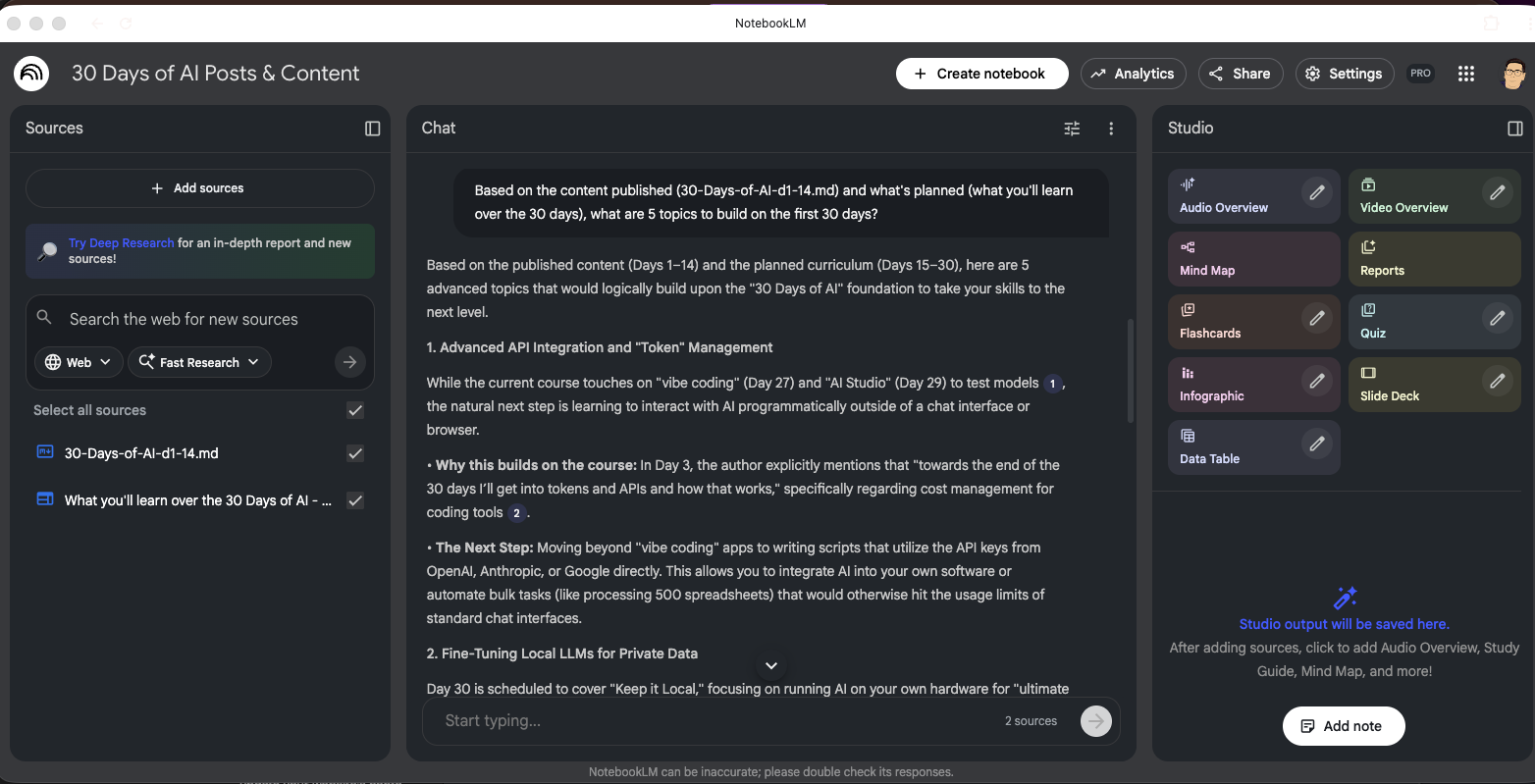
My first prompt was too broad:
Based on the content published (30-Days-of-AI-d1-14.md) and what's planned (what you'll learn over the 30 days), what are 5 topics to build on the first 30 days?
Advanced API Integration and “Token” Management
Fine-Tuning Local LLMs for Private Data
Team-Based AI Governance and “Library” Management
Autonomous Multi-Agent Systems
AI-Enabled Browser Workflows (The 2026 Re-evaluation)
Good, but also very technical. Topics that might leave me scratching my head—or looking for guest authors—to write about.
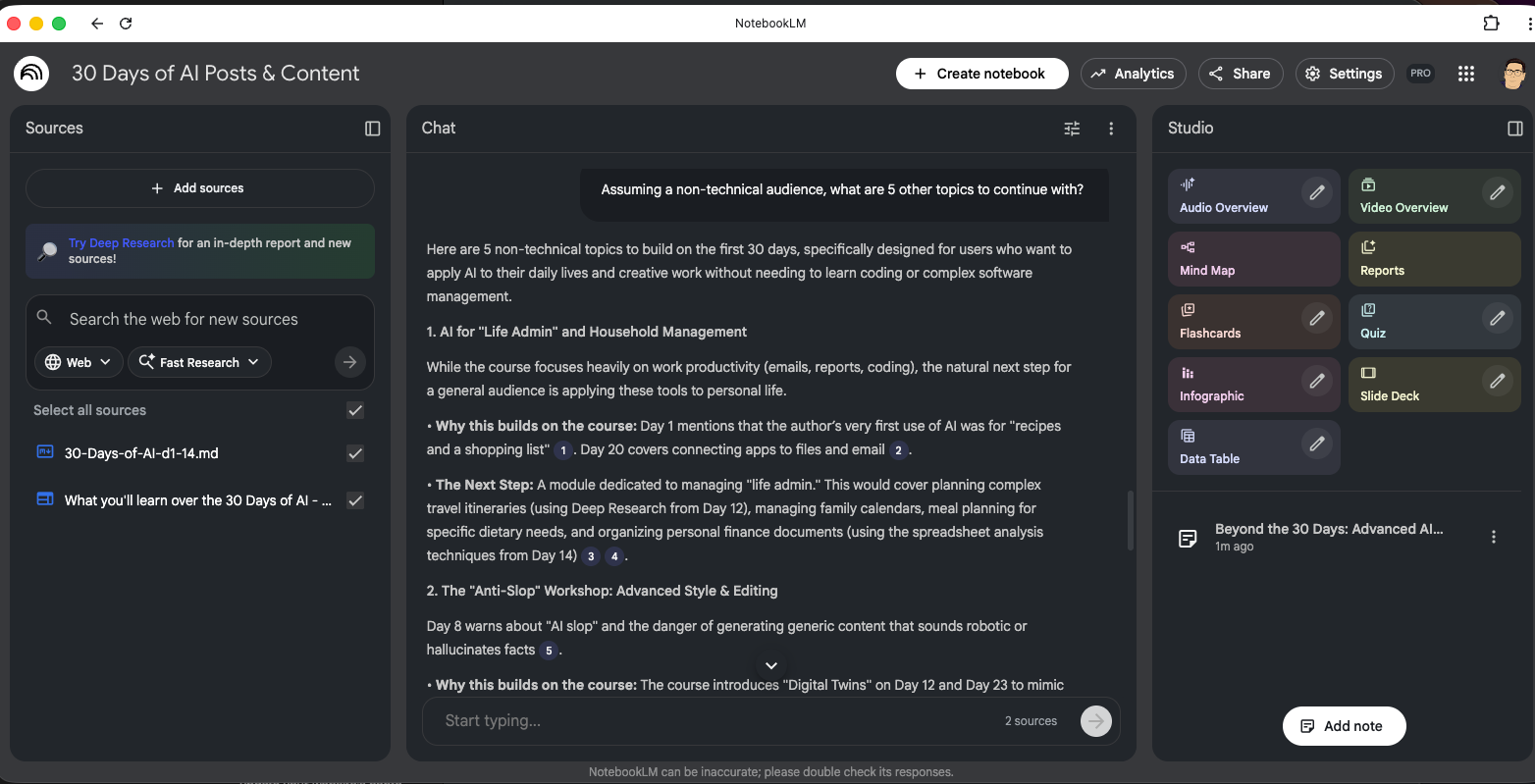
The second take was better:
Assuming a non-technical audience, what are 5 other topics to continue with?
AI for “Life Admin” and Household Management
The “Anti-Slop” Workshop: Advanced Style & Editing
AI for Parents and Students (Education & Safety)
Multimedia Storytelling (The “Director’s Chair”)
“Prompt Repair” and Troubleshooting
Students and AI, prompt repair, anti-slop, life management, much better; I can do those. I saved each response to a note so I could refer back to them later. I can export the Note to Docs or Sheets keep building the content. Tomorrow we’ll get into more use cases, but before we move on, here is a taste of just a couple visualizations from the sources:
A mind map using all the content:
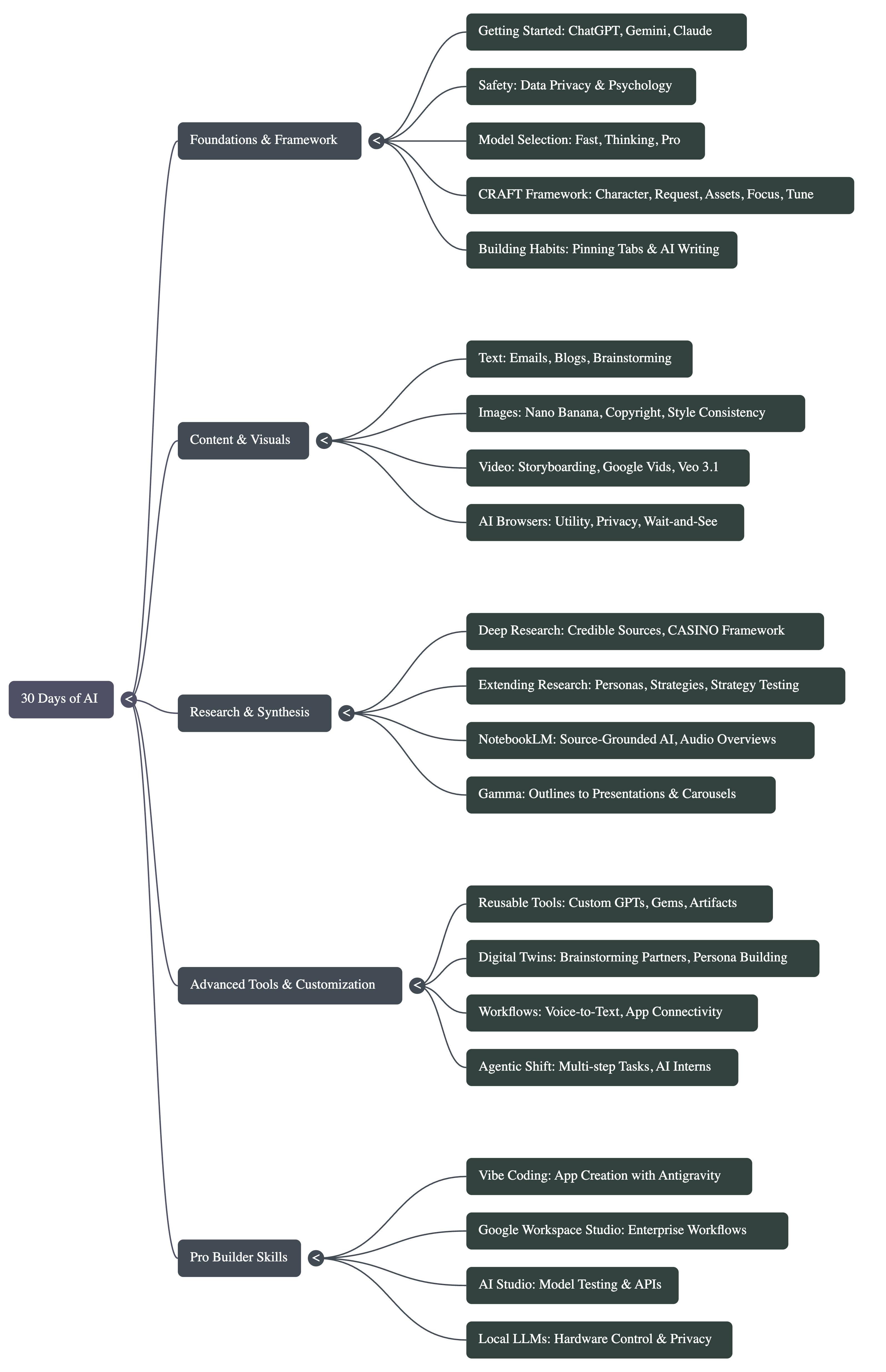
An infographic using only the “What you’ll learn over the 30 days post:”
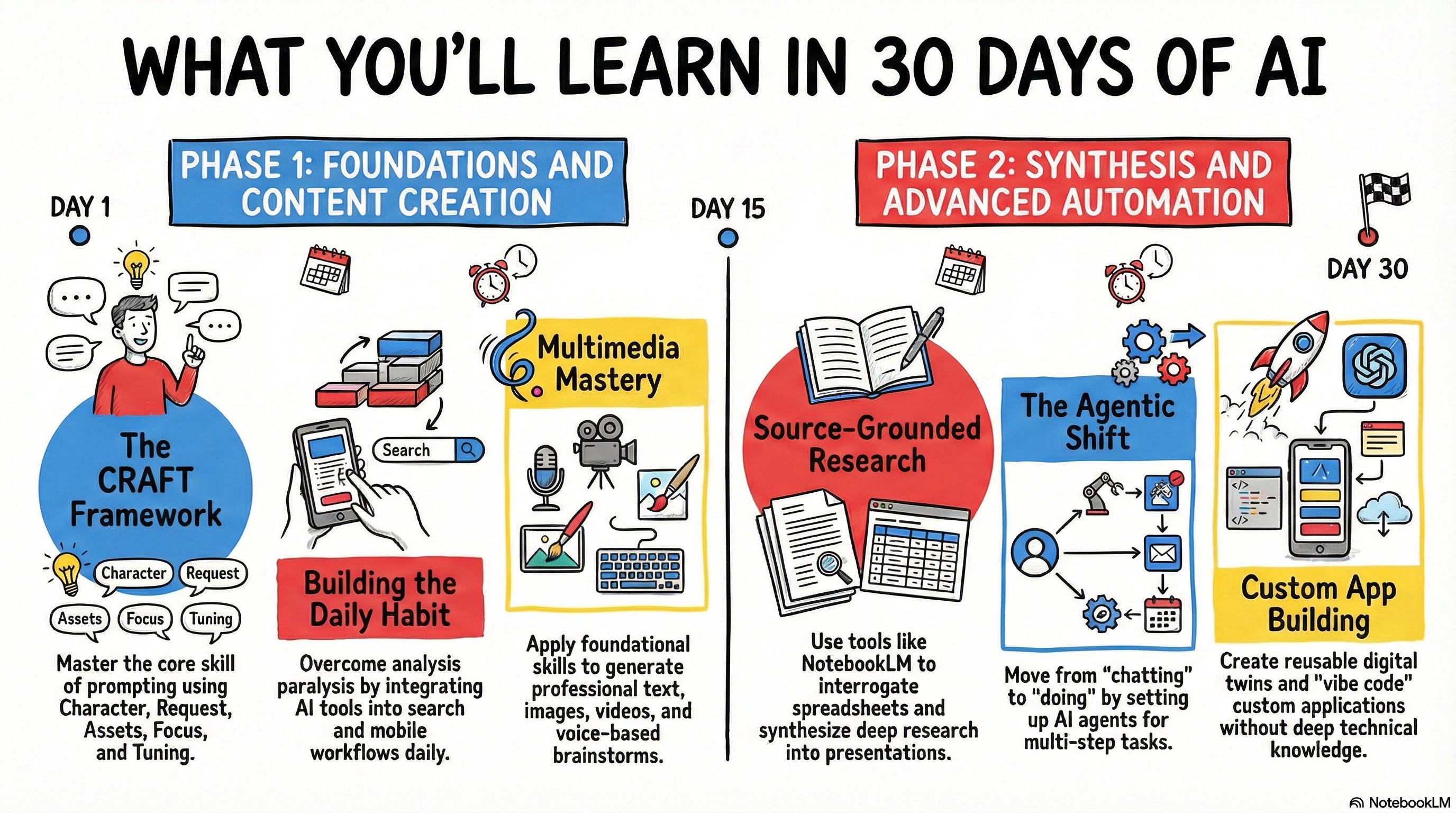
Pretty darn cool I think. I’ll get into more things you can do, but I couldn’t resist giving you a peek today.
The next part is what has changed the game for NotebookLM. Something that will absolutely make it a power house for research, analysis, and extracting info from dense materials: Deep research.
Deep research makes it a whole new ballgame
The one thing that was added to NotebookLM late 2025 that blew everyone away was the ability to do deep research right within NotebookLM. You know how powerful deep research is already, and you have a lot of ways you can use those reports afterward, pulling these together into NotebookLM opens the doors to deeper thinking. More focused learning. Building richer and richer knowledge sets. I’ve barely started to scratch the surface here—and believe me for tomorrow’s edition I’m going to start doing more with deep research.
NotebookLM deep research comes in two modes: quick/fast and deep dives. The light easy mode research is still good research, but it’s quick. It’s for a quick look and easy questions. Deep research is like Gemini deep research—yes you can even use full CASINO-based prompts—but with a twist: all the web sources cited become their own sources in NotebookLM. Not only do you get this summary deep research, you can then query from all of the sources it used, from the first level source, which is tremendously powerful for avoiding hallucinations, for getting a straight scoop, for analyzing the answers, and digging deeper. You now have access to everything that went into the report to query with more questions. You’re not just relying on the summary report, you have the entire thing at your fingertips.
I’ll leave your brain to chew on that some until tomorrow.
