
Day 16: Doing more with NotebookLM
Using NotebookLM as your research assistant on steroids. And more

Welcome to Day 16 of 30 Days of AI.
Yesterday I talked about what I think is an under-appreciated, underused tool in the Google AI space: NotebookLM. As I said at the beginning of yesterday’s post, I am just as guilty as everybody else for not taking more advantage of it. I see people almost every day say, “I loaded all this stuff up into NotebookLM, and I asked all these things, and this is how I do my workflow” and I’m blown away. In this post, I’m going to give you some ideas for some other things to do with NotebookLM. Some of them are going to be obvious. Some of them I’m just working on to refine for myself. Some of these you can do in Gemini itself, like creating infographics, or summarizing content, but remember, the power of NotebookLM is that when it’s working with your content, your sources, it’s only looking at those sources. If you say “summarize this report” that’s all it will pull from.
What’s already built into NotebookLM
We were all blown away by the audio overviews. Load up some sources and have an instant podcast. A great way to bring in a lot of heavy data and analysis, then just listen to it while you did other things. Of course they started off with the reports, flashcards, and quizzes, but we all focused on audio overviews. Not only amazing technology, but how AI-slop podcasts could pollute the podcast space. I’m sure it has, because where there’s an automated way to generate content, people will do it, but Google has done a lot more since the launch to give NotebookLM some powerful ways to display your data.
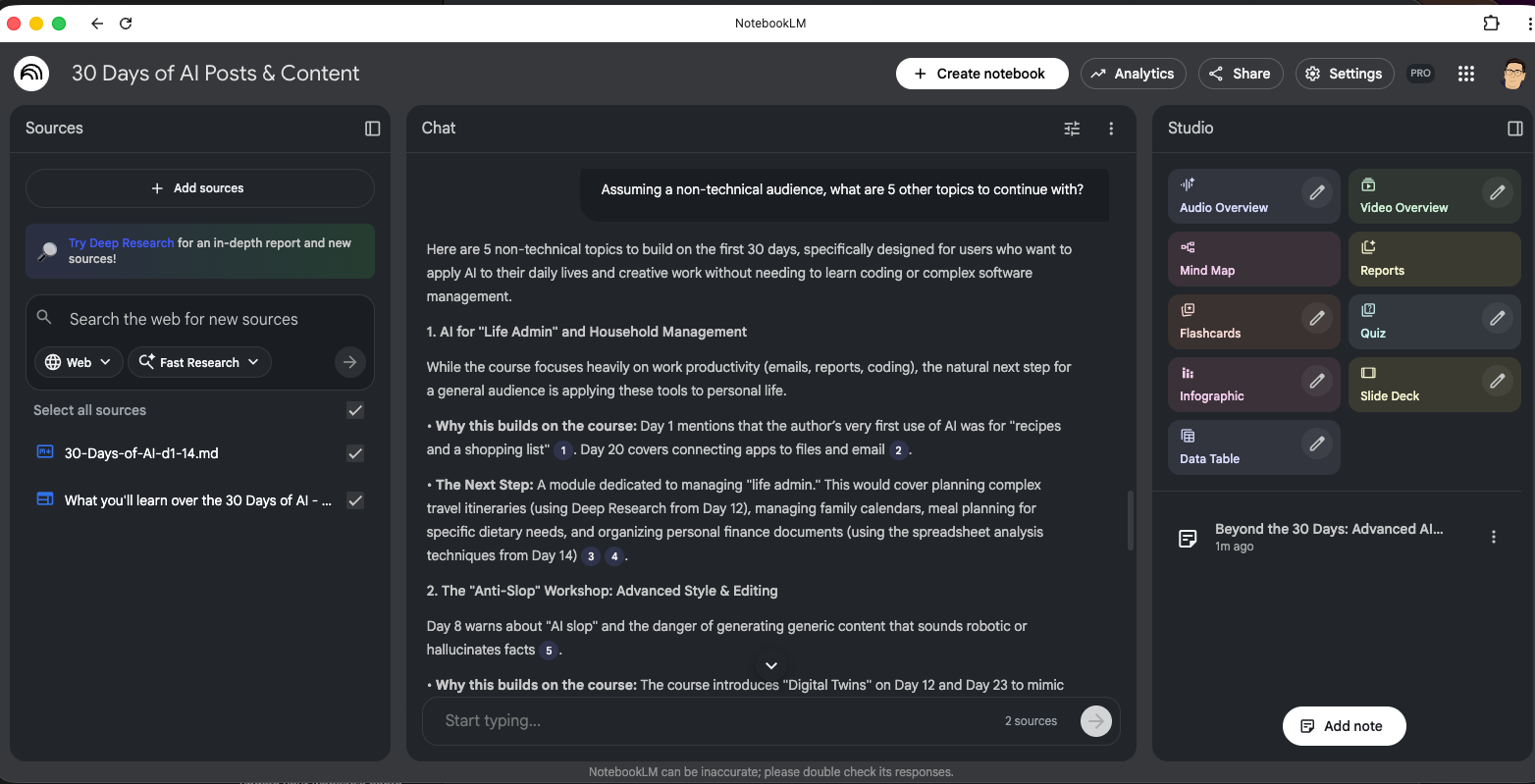
Here’s all the things you can do with Notebook LM that are built in at this moment. These are tools you can use to go from research to analysis to presentation without leaving the app. Here’s what’s built in right now:
Audio overview with options for:
Deep Dive, Brief, Critique, and Debate
Language
Short, Default, and Long
Plus a space for custom instructions
Video overview
Explainer or brief
10 different visual styles
Language
Custom instructions
Mind Map (sorry, no options there, but it just works)
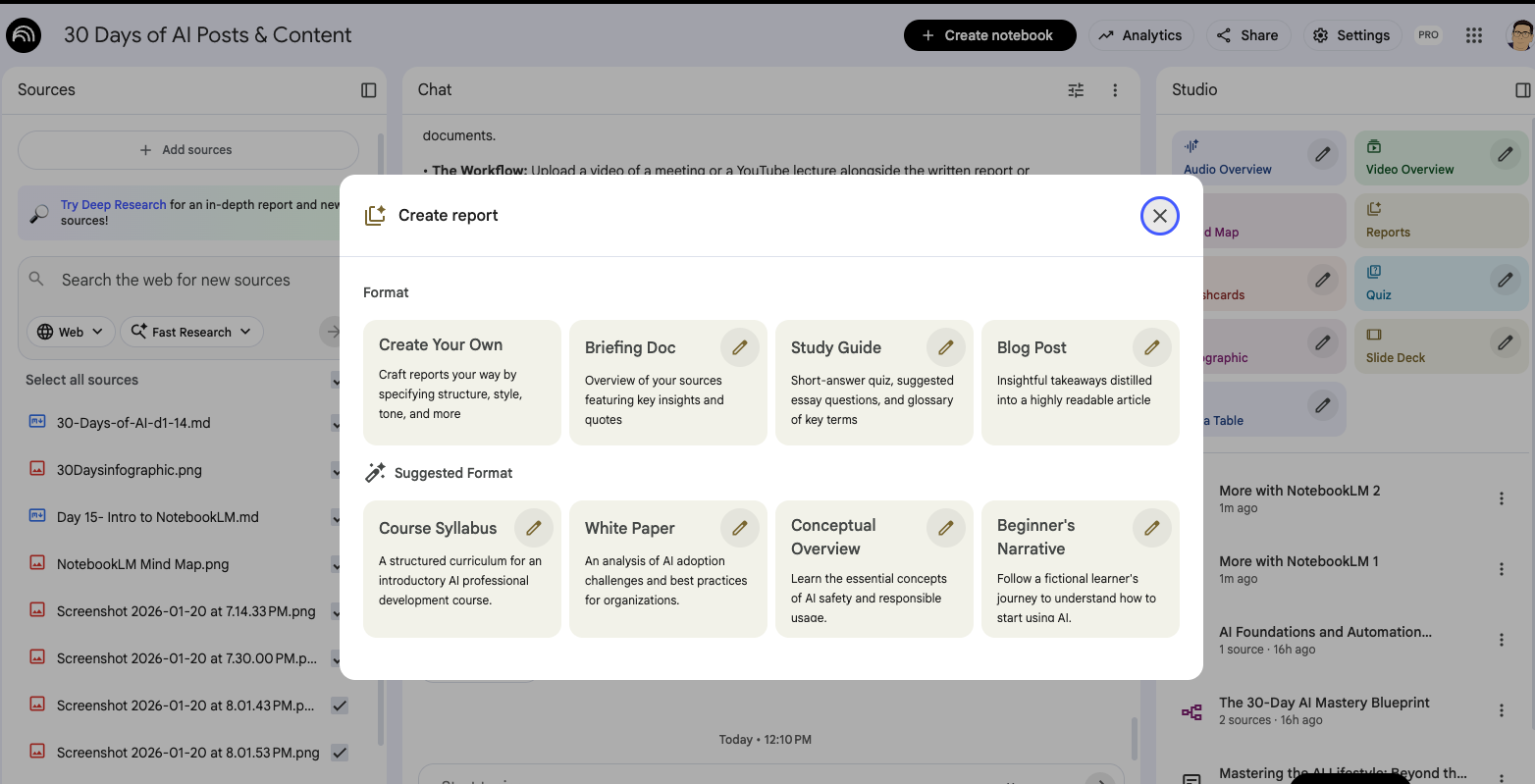
Reports Each report has its own options to customize. In addition to the four below, NotebookLM will suggest four additional formats based on the content of the notebook.
Custom
Briefing Doc
Study Guide
Blog Post
Flashcards
Number of cards
Difficulty
Custom instructions
Quiz
Number of questions
Difficulty
Custom instructions
Infographic (and we’ll talk more about this tomorrow)
Orientation
Language
Level of detail
Custom instructions
Slide deck
Detailed deck or Presenter slides
Language
Length
Custom instructions
Data table (just language and custom instructions, gee how boring!)
Right, so that’s amazing. It’s a true research, analysis, and presentation center. These options give you so many ways to understand and present your data. I almost don’t feel like we need any more examples. You could spend days trying all the options!
But that’s no fun. Let’s proceed.
Pick and choose sources
Let’s talk about sources for a moment. By default NotebookLM will use all your sources for answers or creating things in the Studio, but it doesn’t have to. You and pick and choose the sources you want it to use when you ask it to do anything. All you have to do is check and uncheck sources on the left. If they’re checked, they’ll be used in the chat/Studio. If they’re unchecked, they won’t. I did this last night when I was making the infographic for Day 15. I didn’t want it to look at all the content, just the post that was the overview of everything. Once that was done, I checked all the sources again for my next task: Give me more ideas.
NotebookLM as idea catalyst
What I did last night, as you probably figured from the screen shots in Day 15, is I loaded everything I’ve written so far and everything I plan to write, into the notebook. And then did a couple really cool things.
Ideas for this post
One was, I had this post coming up. What should I tell you would be good things to try? I ran it twice and got some good ideas. I’m not using all of them, but it got things flowing so I could record this while on a walk with the dog. Remember because it’s still Gemini under the hood, there’s a lot of power you can tap into. You just have to ask. By having not only the Day 15 post, but all the others as well, it could draw connections between what I’ve talked about before to ideas for NotebookLM.
Plan a better workshop
I’m doing two AI workshops with a client for one of their clients. Part one was level setting, safety, prompting basics, and deep research. Part two is supposed to be more in-depth, focused on making GPTs and improving workflows. At least that was the plan.
Of course, like all workshops, you get feedback. We had feedback from the attendees—things they’d like to cover in the second workshop and how to structure the day differently. We had some notes ourselves with what worked and what didn’t, you always need to have that debrief afterward to course correct. So we knew we would be mixing it up a bit, just not what that would look like.
I loaded in all the feedback, our slides, and the original plans into a notebook and asked:
Taking all this feedback into account, and what we already covered, what should we do for workshop two? What would address their feedback and give them a really fantastic experience?”
The initial response and follow up questions gave me five things we could do in the next workshop. I didn’t like all five, but I did like three of them and that gave me an idea. Take numbers two, four, and five, and build me a plan for the workshop exercises. And it was pretty good; I like where this is going. From that response I could build a new agenda that I’ll cross check to see if it lines up as well as I think it should.
I could have done this with Gemini, Chat GPT, or Claude, but because I’m in NotebookLM, I can just keep adding more resources to it, and it’ll just keep adding to its knowledge base. If we do a workshop three, everything from workshop two goes in there and we get a start on the next one.
